.png)
Create a Test Suite
- Navigate to the Test Suites panel from the Project Overview page
- Click the "Add" button; an "Add Test Suite" dialog box will pop up
- Specify "Name," and then click the "Add" button
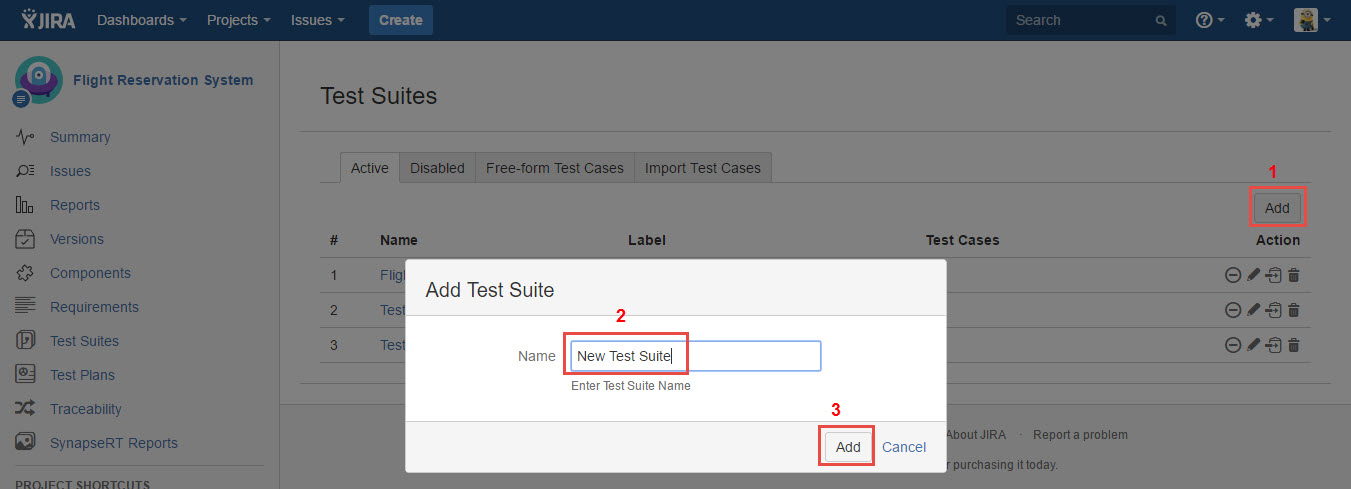
[Screenshot - UG0031_Test_Suite_Panel_Add_Test_Suite]
4. Once the Test Suite is added successfully, it will be present in the "Active" tab.
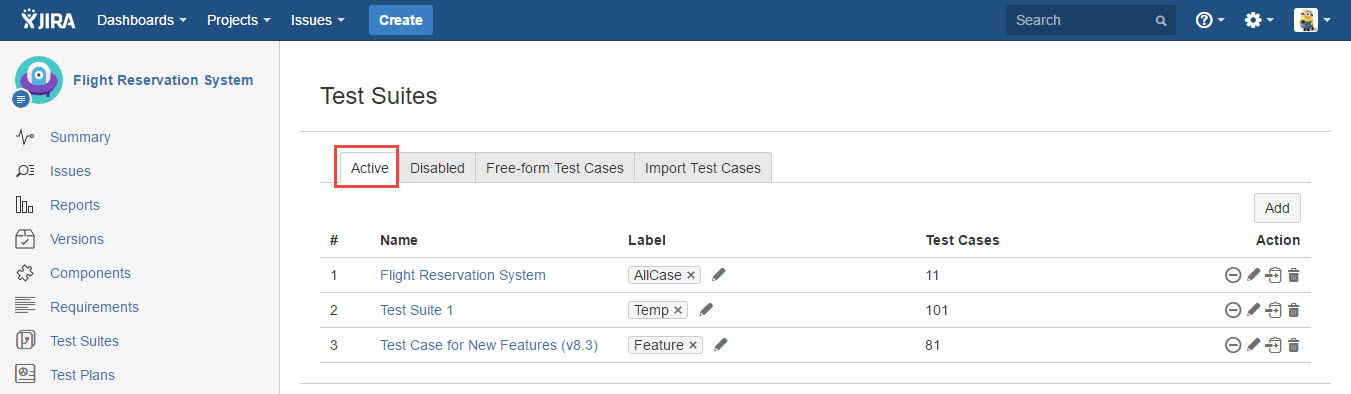
[Screenshot - UG0032_Test_Suite_Panel_List_Test_Suite]
5. You can update the Test Suite name and add a label to it by clicking the "Edit" button.
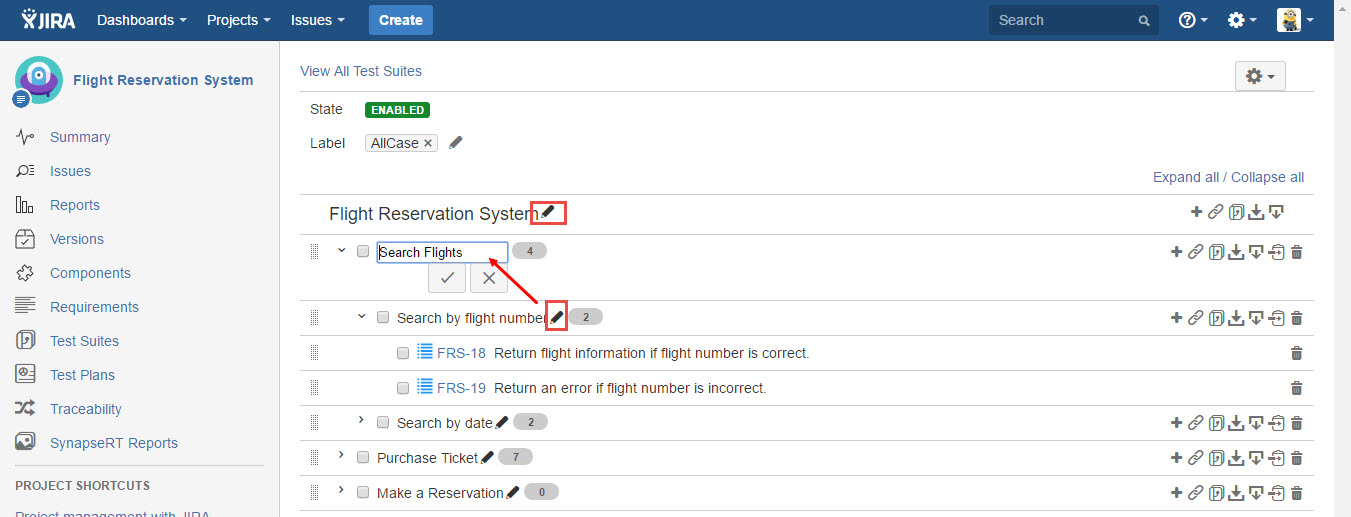
[Screenshot - UG0033_Test_Suite_Panel_Edit_Test_Suite]