.png)
Move or Copy Test Suite to New Location
You can move or copy a Test Suite with its Test Case associations and hierarchy information to a new location, the new location could either be in same 'Root Test Suite' or other 'Root Test Suite' existed in the project.
It gives you more flexiblity to rebuild your Test Case structure.
Move or copy a Test Suite with its Test Case associations only
- Click the "Edit" icon from a 'Root Test Suite'
- Click the "Move or Copy" icon from any Test Suite (Source Test Suite)
- Choose "Only Test Cases" from "Move or Copy Test Suite" dialog box
Note: this option will only move or copy the Test Cases directly associated to source Test Suite - Choose a destination Test Suite from the list by selecting the radio button
- Click "Copy" button (or "Move") button
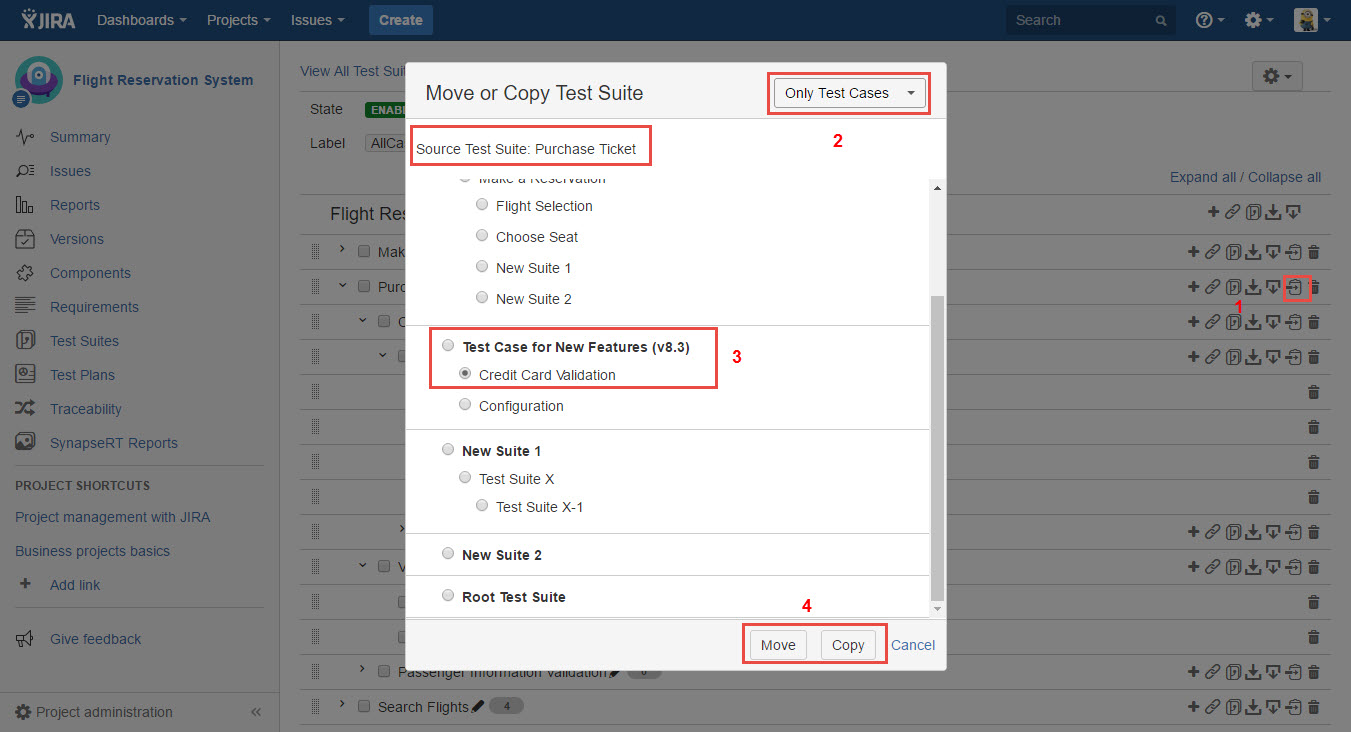
[Screenshot - UG0047_Test_Suite_Panel_Move_Copy_Test_Cases]
Move or copy a Test Suite with its Test Case associations and hierarchy
- Click the "Edit" icon from a 'Root Test Suite'
- Click the "Move or Copy" icon from any Test Suite (Source Test Suite)
- Choose "Test Cases with hierarchy" from "Move or Copy Test Suite" dialog box
Note: this option will move or copy all Test Case associations including it sub Test Suites and Test Cases inside them - Choose a destination Test Suite from the list by selecting the radio button
- Click "Copy" button (or "Move") button
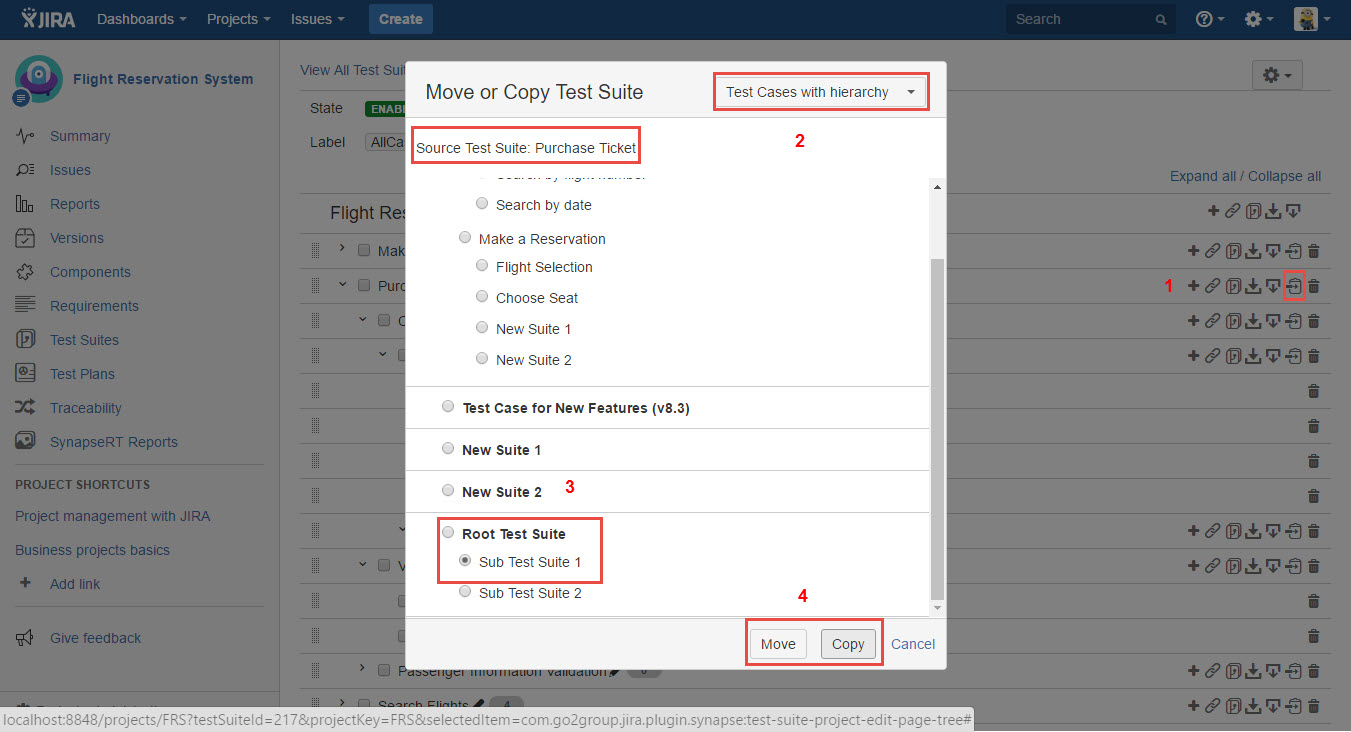
[Screenshot - UG0048_Test_Suite_Panel_Move_Copy_Test_Cases]