.png)
To make the test plan and test execution more flexible, you are allowed to adjust Test Cases from a Test Cycle. For different status of Test Cycle, TestRay offers different options to add or remove Test Cases.
Note: Test Cases those are presented in a Test Cycle are referring to Test Cases added in the Test Plan.
Below are the ways to adjust Test Cases:
-
Add/Remove Test Cases from Test Suite view
-
Add/Remove Test Cases from Flat List view
Add/Remove Test Cases from Test Suite view
Note: you are allowed to either "Add" or "Remove" Test Cases (from Test Plan) to/from "DRAFT" and "ACTIVE" Test Cycle.
-
Launch a Test Plan issue
-
Click a Test Cycle which is in "DRAFT" or "ACTIVE" status
-
In Test Cycle page, click "Adjust->Add/Remove Test Case thru Test Suite" button
-
From "Test Plan Members" dialog box, select/deselect the Test Cases those you want to add/remove to/from the Test Cycle
Note:
1) You can select multiple Test Cases by using combination key "Shift + Left Click"
2) You can use JQL to filter the Test Cases from the list
3) Only Test Suite/s from which Test Cases are selected to Test Plan will be listed in the dialog box -
Click "Add" button to add additional ones or click "Remove" to remove existing ones
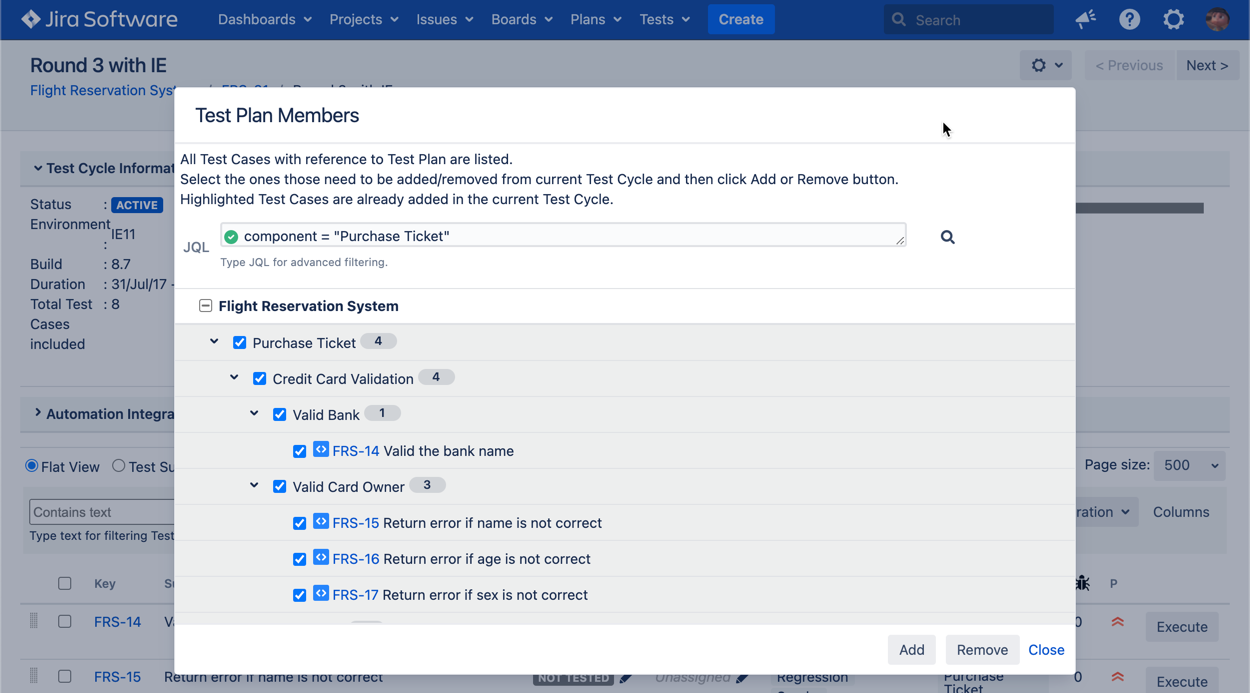
[Screenshot - UG0048A_Test_Cycle_Adjust_Test_Cases]
Add/Remove Test Cases from Flat List view
Note: you are allowed to either "Add" or "Remove" Test Cases (from Test Plan) to/from "DRAFT" and "ACTEVE" Test Cycle.
-
Launch a Test Plan issue
-
Click a Test Cycle which is in "DRAFT" or "ACTIVE" status
-
In Test Cycle page, click "Adjust->Add/Remove Test Case" button
-
From "Add/Remove Test Case" dialog box, select/deselect the Test Cases those you want to add/remove to/from the Test Cycle
Note:
1) You can select multiple Test Cases by using combination key "Shift + Left Click"
2) You can use JQL to filter the Test Cases from the list -
Click "Add" button to add additional ones or click "Remove" to remove existing ones
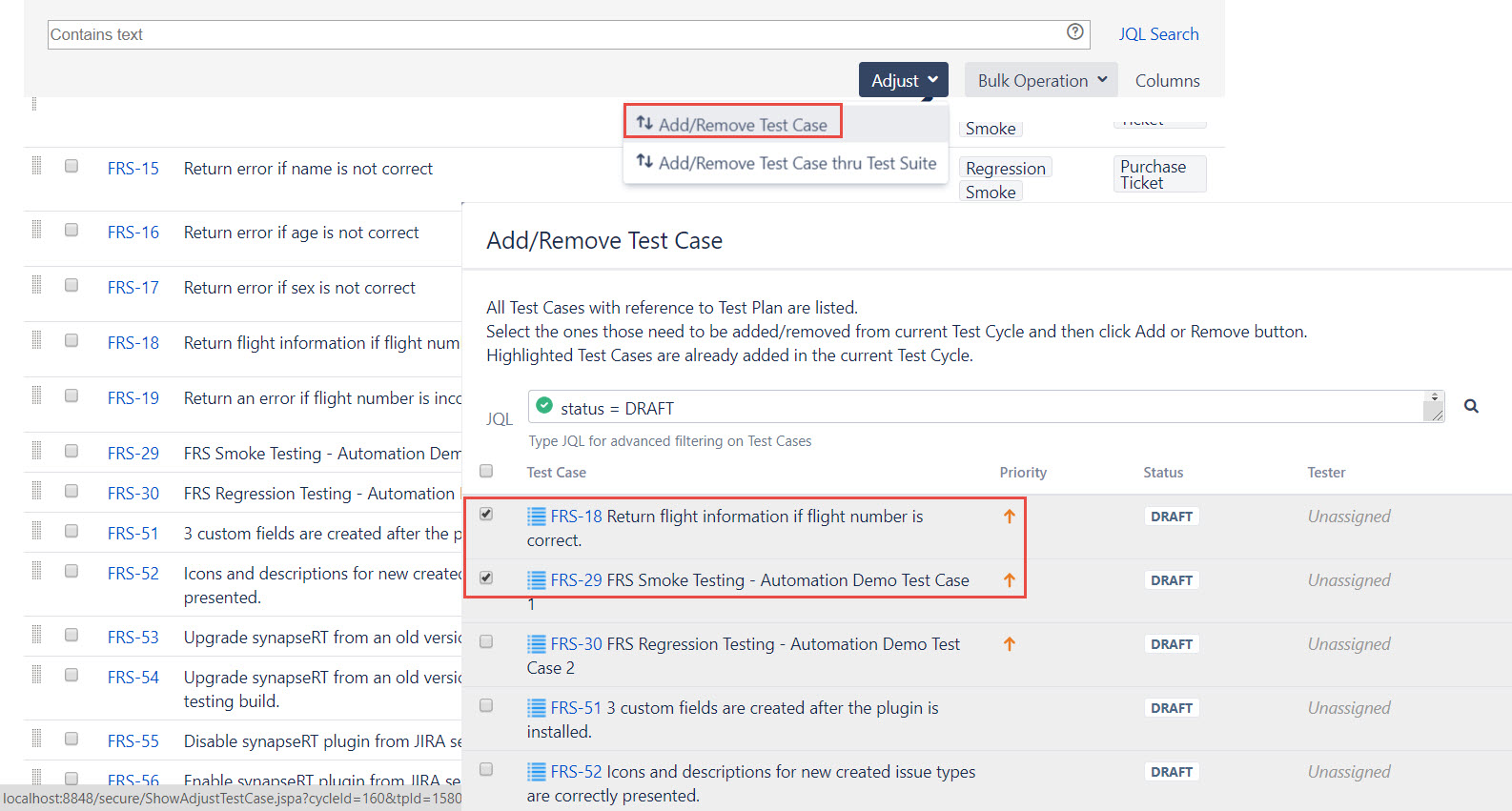
[Screenshot - UG0048C_Test_Cycle_Adjust_Test_Cases]