.png)
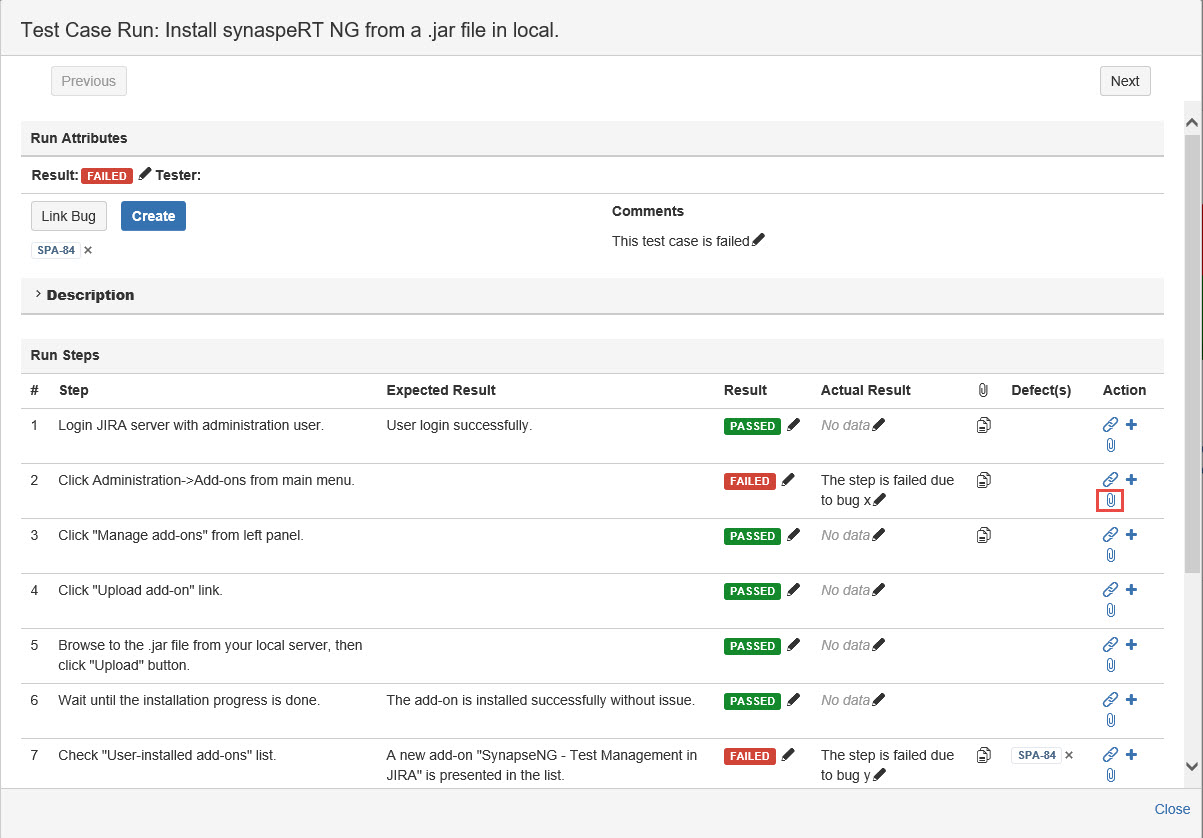
During your test execution, you can add attachment for each test step.
To add attachment to test step, follow these steps:
-
Launch a Test Cycle
-
Click the "Execute" button to open the "Test Case Run" dialog
-
In the "Run Steps" section, click the "Attach" icon from the "Action" column for any step
-
Choose a file to attach
-
Click the "Attach" button