.png)
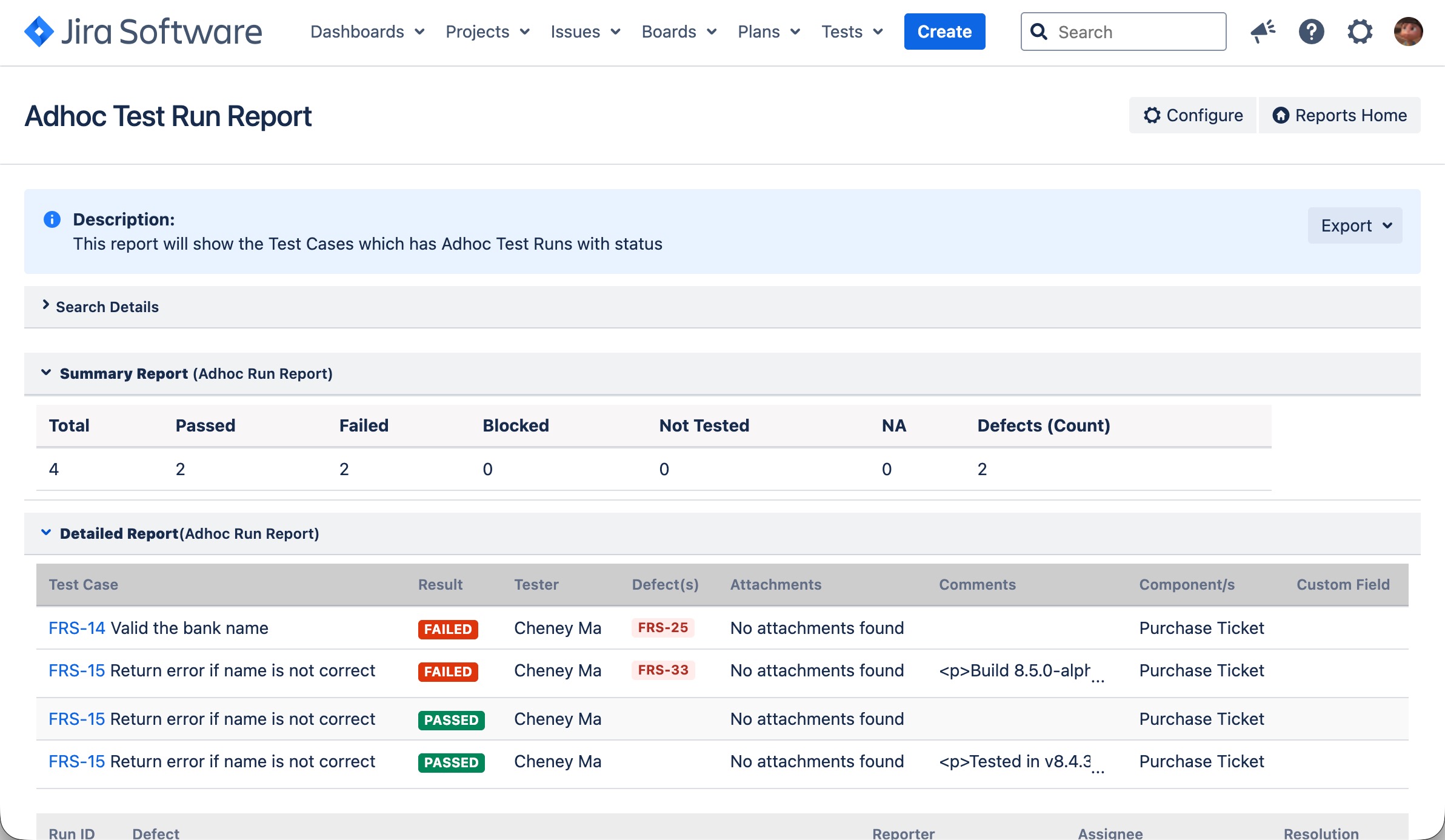
As you can create Adhoc Test Run for Test Case quick execution, this report will show test result from adhoc Test Case executions.
-
Open a JIRA project
-
Click "TestRay Reports" from the left navigation panel
-
From the list, find "Adhoc Test Run Report"
-
Click "Adhoc Test Run Report"
-
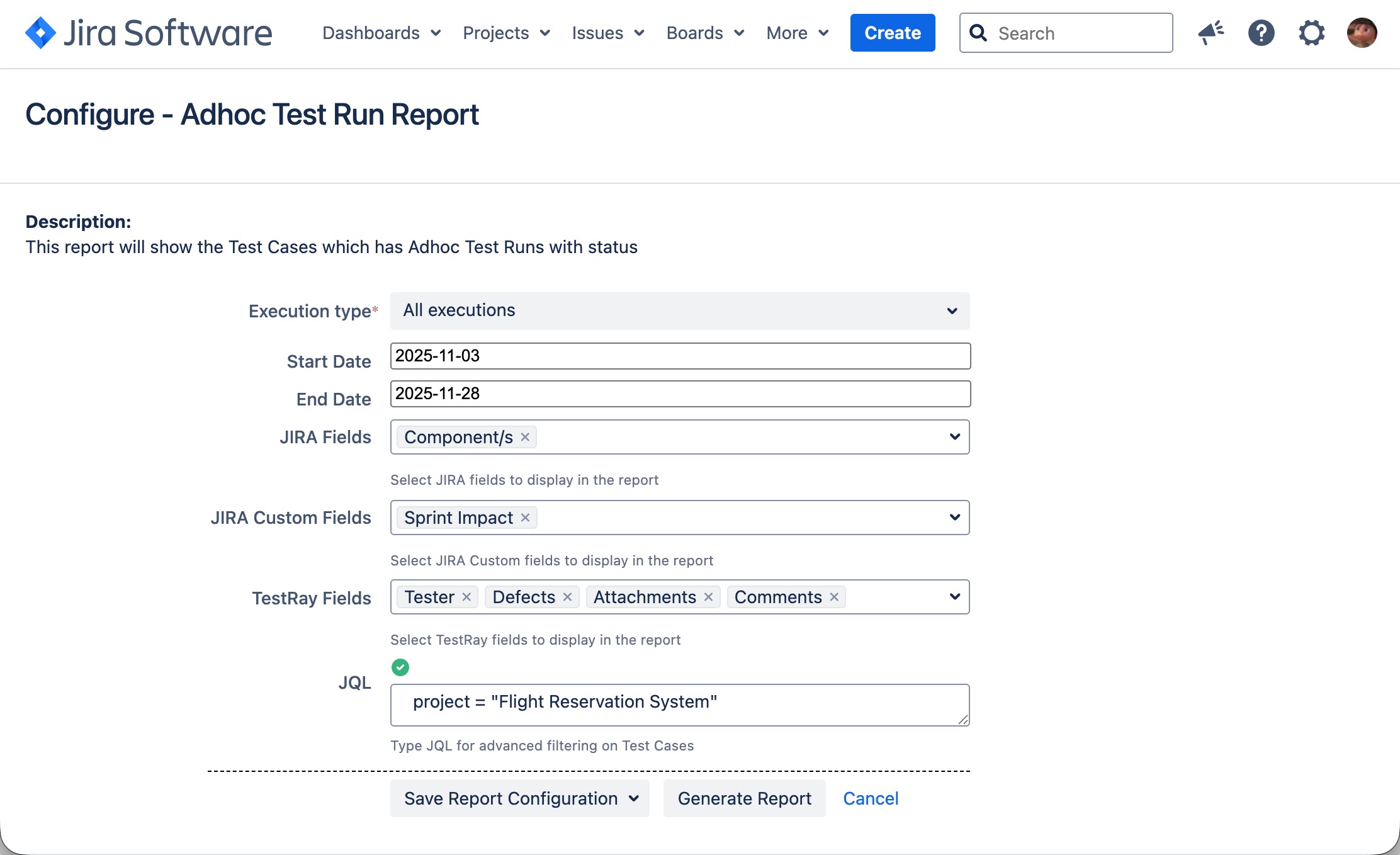
Specify from the filter options:
-
Select "All executions" or "Latest Execution" from "Execution type" dropdown list.
-
Choose "Start Date" (Optional)
-
Choose "End Date" (Optional)
-
Choose some JIRA fields from the "JIRA Fields" list
-
Choose some custom fields from "JIRA Custom Fields" list
-
Choose some TestRay fields from "TestRay Fields" list
-
JQL (Optional)
-
-
Click "Generate Report" button
You can save your selections as an "Report Configuration" to reuse it in the future.
[Screenshot - UG0064_Add_Hoc_Test_Report_Configuration]
[Screenshot - UG0065_Add_Hoc_Test_Report_Result]