.png)
-
Launch a Test Plan issue
-
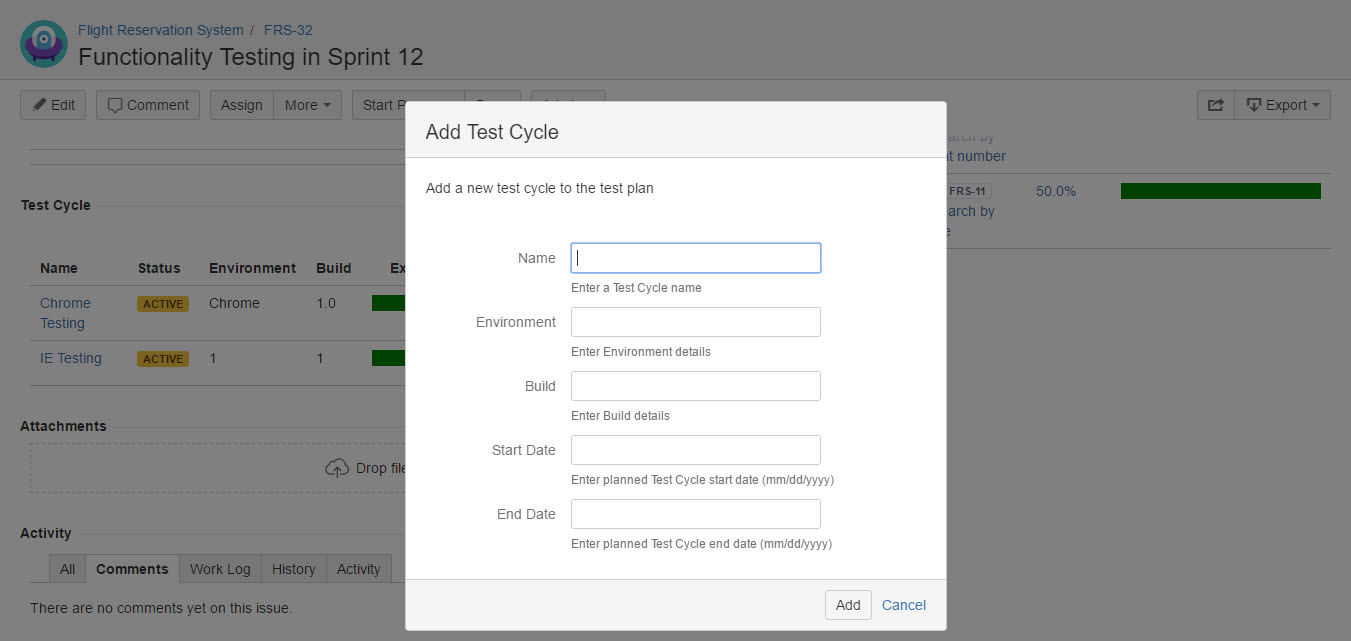
Click the "Add" button from the Test Cycle section
-
In the "Add Test Cycle" dialog, specify the information below and click the "Add" button:
-
Name
-
Environment
-
Build
-
Start Date
-
End Date
-
-
The Test Cycle will be added to the Test Plan successfully; its initial status is "DRAFT"
Note: all Test Cases added in the Test Plan will be listed in Test Cycle once it is created; you are allowed to adjust Test Cases (remove) further for Test Cycle level.
[Screenshot - UG0048_Test_Plan_issue_Add_Test_Cycles]