.png)
-
Open a JIRA project
-
Click "SynapseRT Report" from the left navigation panel
-
From the list, find "Test Cycle Report"
-
Click "Test Cycle Report"
-
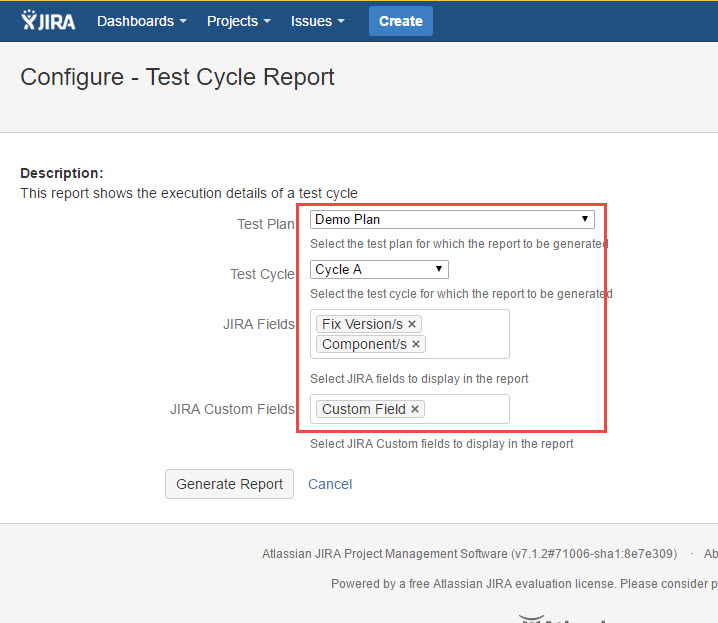
Specify from the filter options below:
- Select a Test Plan from the "Test Plan" dropdown list
- Select a Test Cycle from the "Test Cycle" dropdown list
- Choose some JIRA fields from the "JIRA Fields" list.
- Choose some custom fields from "JIRA Custom Fields" list. -
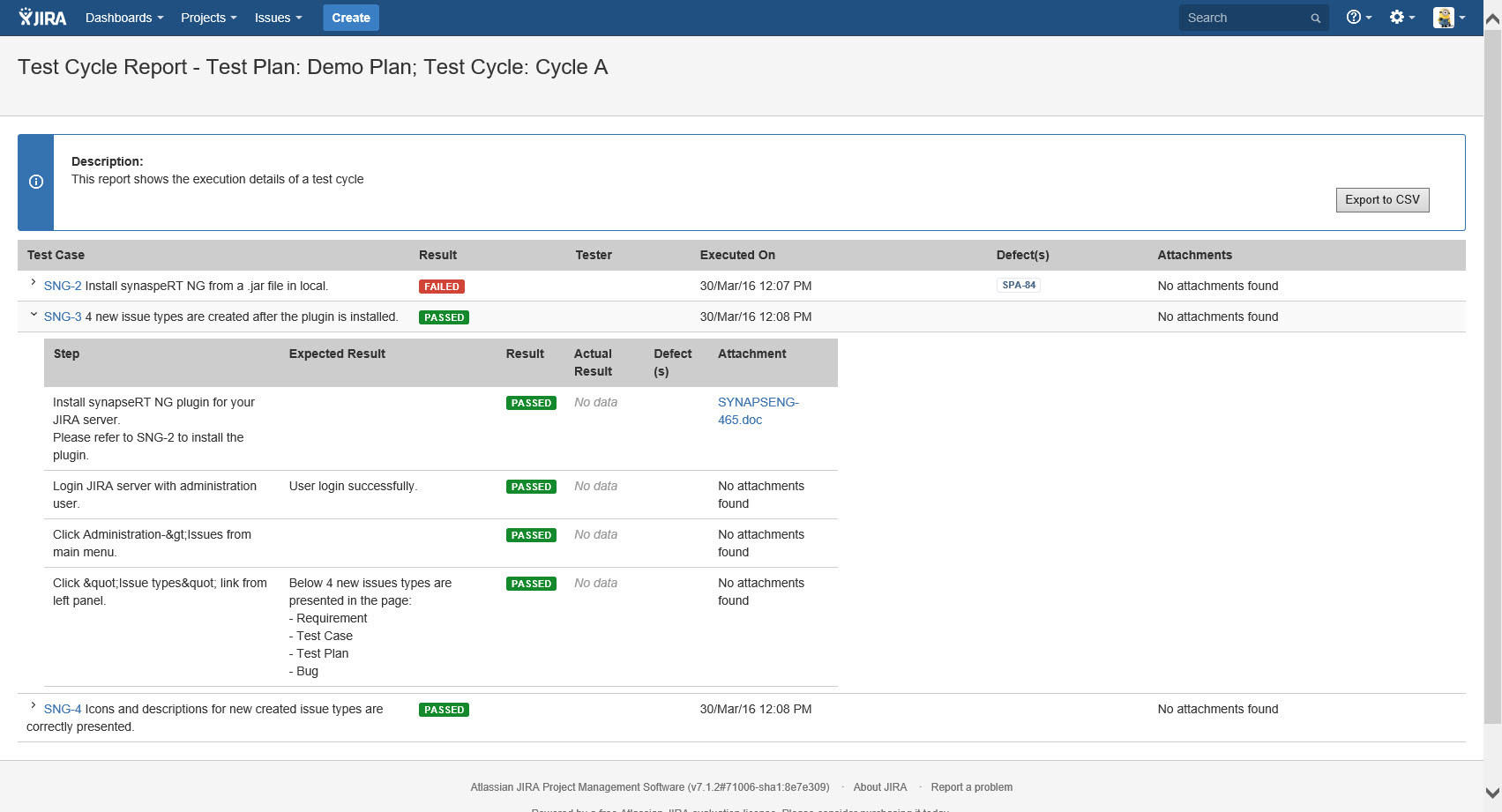
Click "Generate Report" button
[Screenshot - UG_SR01_Test_Cycle_Report]
[Screenshot - COMP_TR01_Test_Cycle_Report]