.png)
You are allowed to export requirements from 'Requirements' page to a word doc, requirement hierarchy and its associated test cases can also be exported.
Export all requirements in page
-
Click "Export All" button from top right of the page
-
Specify the file path and click "Save" button
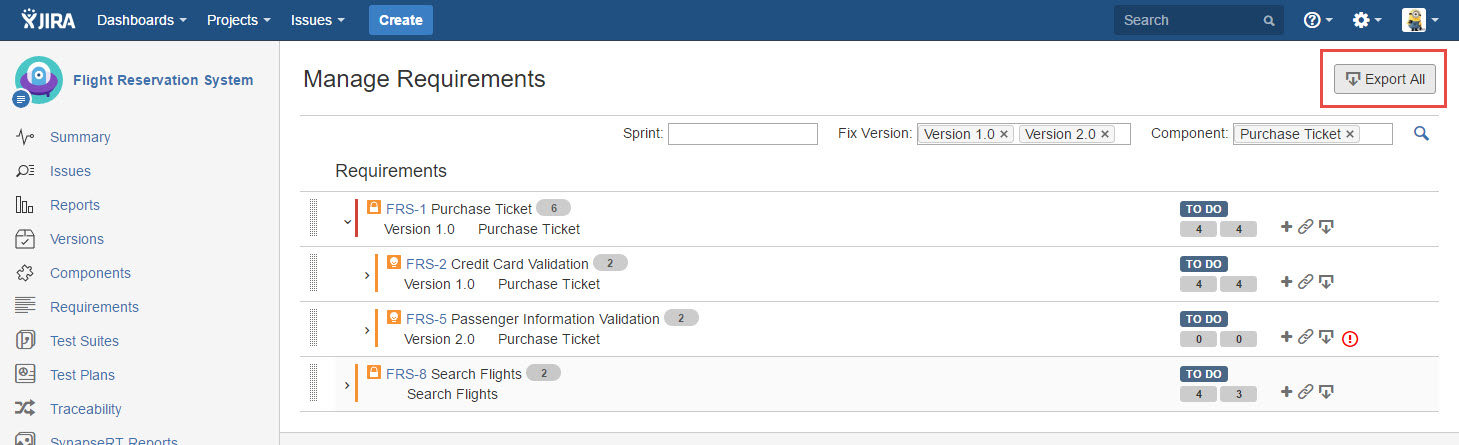
[Screenshot - UG83_Requirements_Panel_0010]
Export a requirement with its children requirements
-
Expand any requirement to find the one you want to export
-
Click "Export" icon
-
Specify the file path and click "Save" button
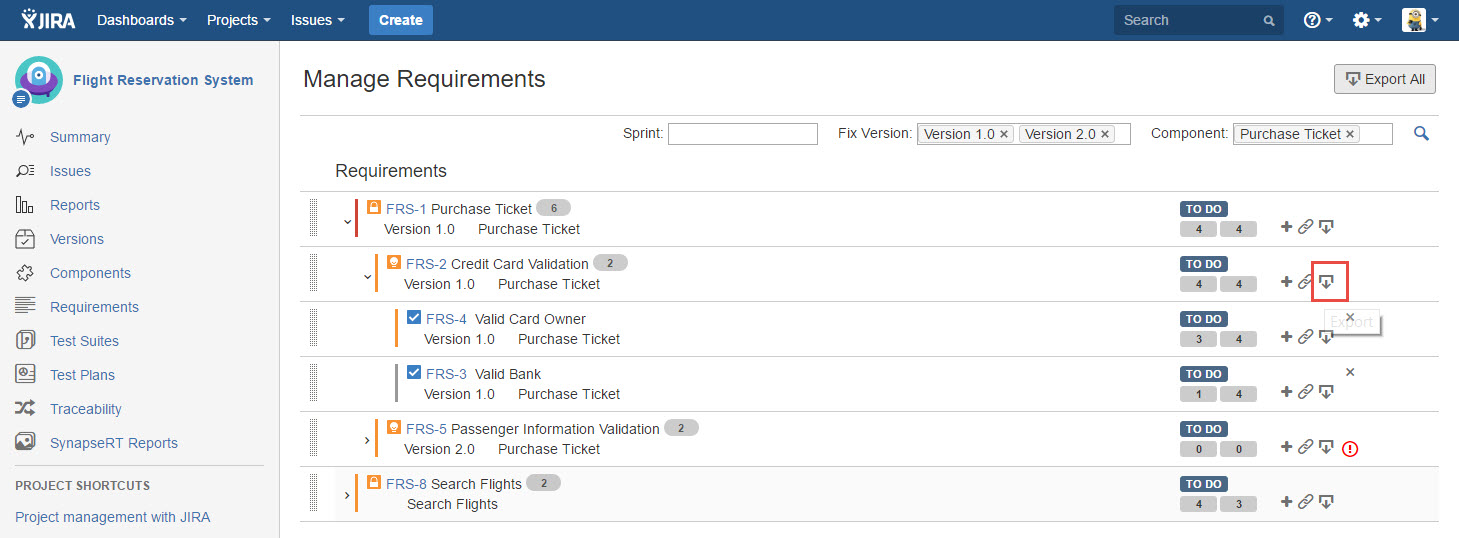
[Screenshot - UG83_Requirements_Panel_0011]